
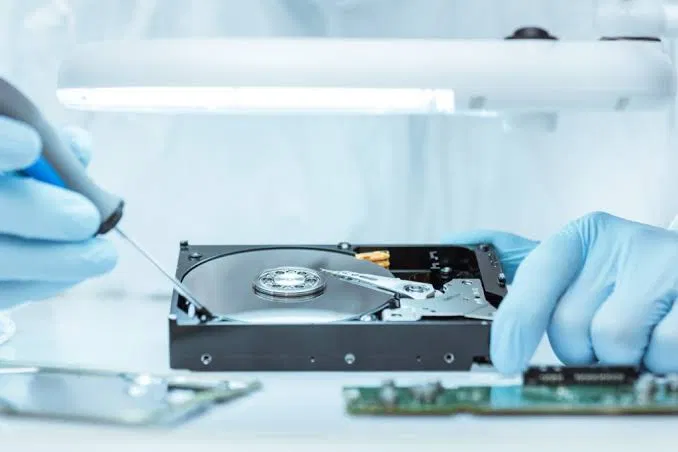
Why is my hard disk making a clicking noise?
A hard disk may click when its read/write heads cannot locate the expected data or when a mechanical, electrical or firmware problem repeatedly interrupts normal operation. Some quiet seeking sounds are normal, but loud, repeated clicking—especially alongside missing files or a drive that is not detected—can indicate a serious failure. Switch the drive off and avoid repeated restarts if your data matters.
Key takeaways
- Repeated, unusual clicking can signal head, media, power or firmware problems.
- Do not run CHKDSK, initialize, format or use consumer recovery software on a physically failing drive.
- Professional diagnosis helps determine whether a controlled image or more specialized work is appropriate.
- Recovery feasibility and cost depend on the exact failure and the condition of the recording surfaces.
What causes hard drive clicking?
Hard disk drives contain rapidly spinning platters and delicate read/write heads that move across the surfaces. The sound alone cannot identify a fault, but these are frequent possibilities.
1. Read/write head damage or misalignment
When a head cannot correctly read positioning information, the drive may retry and produce repeated clicking. A dropped or shocked drive is particularly concerning. Continued operation can increase the risk of damage to the platters.
2. Platter surface damage and degraded media
Scratches, contamination and serious magnetic-media problems may prevent normal reading. Recovery can be difficult if the data-bearing surface is severely damaged.
3. Power supply or USB cable problems
Insufficient power can cause an external drive to repeatedly spin up and reset. A faulty enclosure, USB cable or power supply can imitate a drive fault. For valuable data, avoid repeated trial-and-error power cycling.
4. Firmware or service-area problems
Hard disks use internal firmware and maintenance information to manage startup and data access. Corrupted modules or unreadable service areas may lead to repeated retries, unusual noises or non-detection.
5. Spindle or mechanical problems
A drive that fails to spin normally may make beeping, buzzing or intermittent noises. A jammed mechanism or motor issue needs diagnosis rather than forced DIY repair.
How can I tell normal HDD sounds from a problem?
| Sound or symptom | What it might mean | Recommended action |
|---|---|---|
| Quiet occasional seek sound | May be normal during file access | Monitor; keep verified backups |
| Repeated loud click every few seconds | Possible head, firmware or media issue | Power off and request assessment |
| Clicking and drive not detected | Potential mechanical or electronic failure | Do not keep restarting |
| Beeping with no spin | Potential spindle or power issue | Stop attempts; avoid opening device |
| Grinding or scraping | Possible internal contact or damage | Switch off immediately |
These are indicators, not definitive diagnoses. An engineer must inspect the device to identify the underlying fault.
What should I do when my hard disk starts clicking?
Do
- Shut down the computer or disconnect the affected drive safely.
- Write down the model, capacity, recent drops and error messages.
- Keep cables and adapters available for assessment.
- Contact a data recovery technician when files are important.
Avoid
- Repeated restart or spin-up attempts.
- Opening a hard disk outside a suitable controlled environment.
- Swapping internal heads or PCB boards yourself.
- Formatting, initializing, running CHKDSK or writing new data.
How is data recovered from a clicking hard drive?
At Ram Infotech Data Recovery Data Recovery in Chennai, the approach depends on what the diagnostic assessment finds. A typical professional workflow may include:
- Initial assessment. Review the symptoms and determine whether the problem is electronic, logical, firmware-related or mechanical.
- Recovery proposal and approval. Explain the likely method, feasibility, cost and conditions before beginning approved work.
- Stabilization or suitable component-level work. Mechanical cases may require controlled handling, specialist tools and compatible donor components.
- Data imaging. When possible, read the drive into another storage medium while limiting unnecessary access to failing areas.
- File reconstruction and verification. Recover available folders, documents and other files, then discuss results before delivery.
Important: Internal hard disk work should not be attempted at home. Not every clicking drive is recoverable, and no honest provider can promise a result without assessment.
How much does clicking hard disk recovery cost in Chennai?
Pricing depends on whether the fault is mechanical, firmware-related or electronic, along with the drive model, capacity, donor components and extent of damage. A simple logical fault often has a different cost structure from a failed head assembly.
Contact Ram Infotech Data Recovery for an assessment and quotation before approving recovery work. Ask about any diagnostic charge and the conditions of the applicable No Recovery – No Charge policy.
Frequently asked questions about clicking hard disks
Is an external hard drive's loud clicking noise normal?
Quiet, occasional activity sounds can be normal. A new, loud and repeated click—especially when the drive is unreadable—deserves attention. Stop using it if your data is valuable.
My hard drive is clicking but still works. Should I worry?
Yes. Continued reading and writing could worsen a developing fault. Avoid unnecessary activity and seek professional advice, particularly if you do not already have a verified backup.
Can you fix a clicking hard drive?
Some faults can be addressed sufficiently to retrieve data, but recovering files is different from making a damaged drive reliable for long-term use. A recovered drive should not be trusted for future storage.
Can data from a clicking hard drive be recovered?
Sometimes. Recovery depends on the heads, platters, firmware, electronics and condition of the stored information. An assessment is required to estimate feasibility.
Can software repair a clicking hard disk?
Software cannot repair physically damaged heads or platters. Running scans on a mechanically failing drive can make recovery harder.

Serving Chennai customers since 2007
Ram Infotech Data Recovery Data Recovery supports personal and business recovery enquiries through a specialist lab in Adyar and its service network across Chennai. The team evaluates difficult storage problems and emphasizes careful handling and confidentiality.